Crew scheduling
Food truck crew scheduling by text
CurbsideOps proposes the best crew member for every open event, checking who is free, who is off and who is near their hour cap. You swap anyone you want and apply. Your crew answers on Telegram, with no app to install and no logins to hand out.
Included in Professional and Premium.
Takes a minute. No credit card.
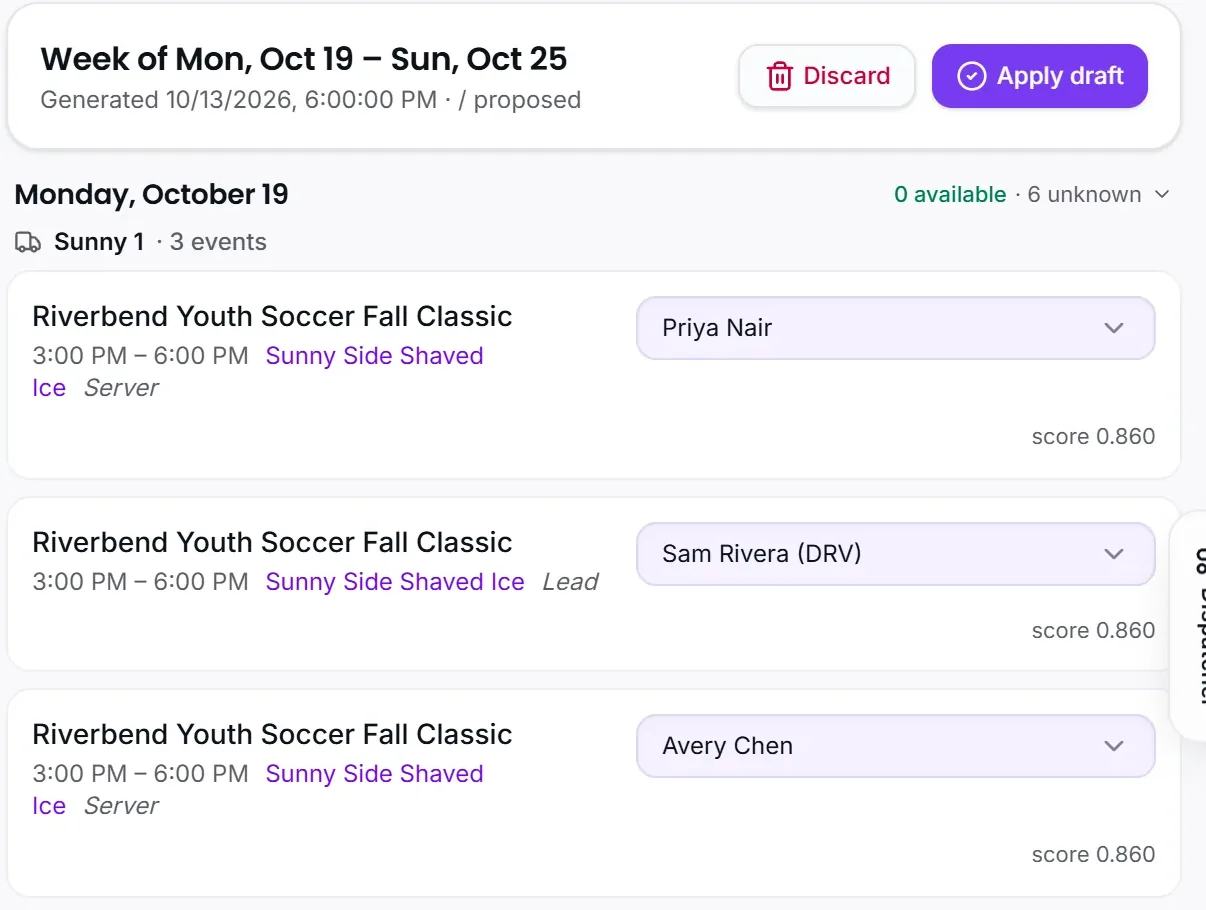
One tap drafts the week
Open schedule drafts, pick the week, and every open event gets a proposed crew with a fit score from availability, time off, hour caps, shift preference and workload. Swap anyone, then apply, and the assignments land on the calendar and in each person’s briefing.
- Fit scores you can read, not a black box
- Hour caps and time off respected automatically
- Apply once: calendar, briefing and reminders update together

Crew run their day from Telegram
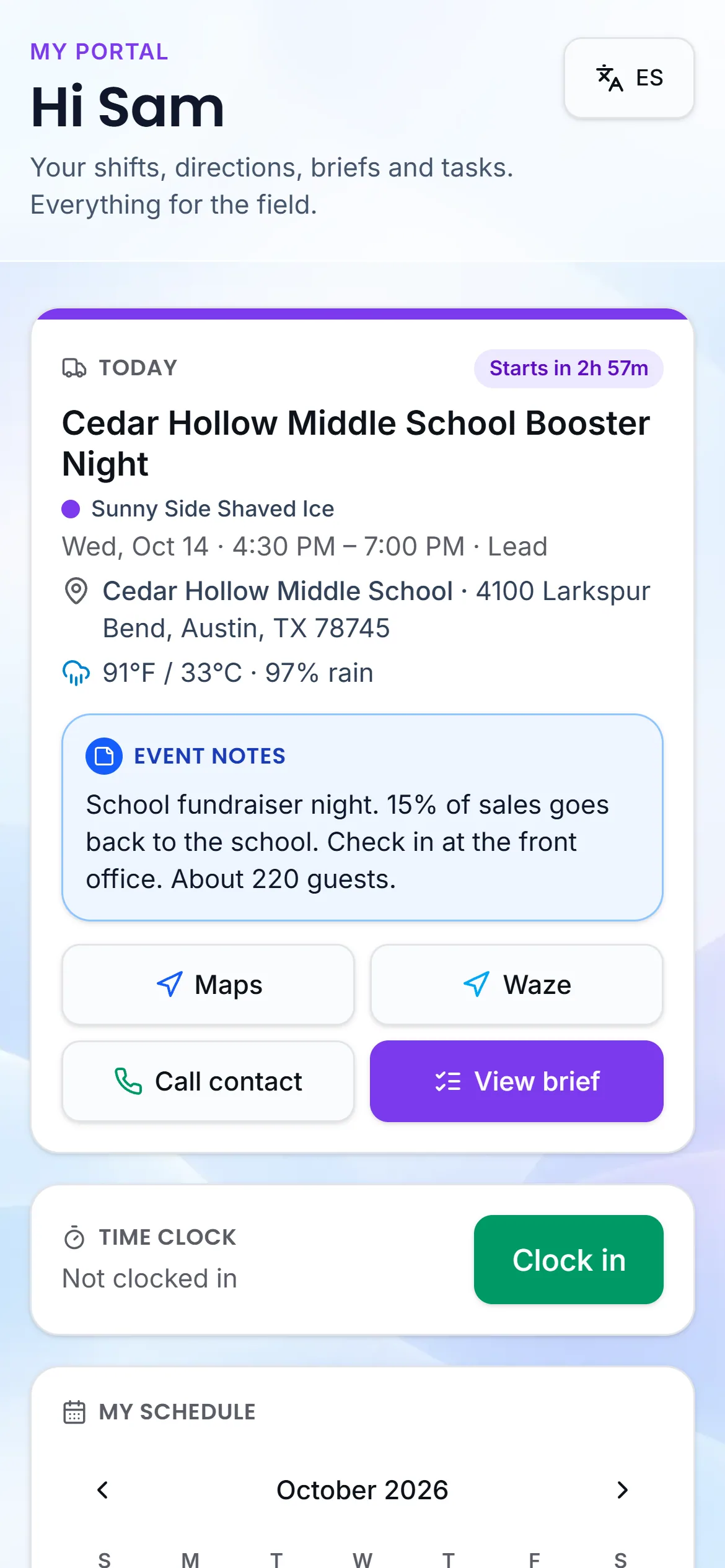
Each crew member gets their own morning briefing with only their events, the address, the truck and when to leave. They clock in and out, file the event report, flag a restock and request time off from the same chat. Prices and financials never appear in a staff message.
- Per-person briefing with departure times
- Clock in, event reports, restock and incidents from chat
- Time off requested in chat, approved with one tap
Availability collected for you
Instead of a group text on Sunday night, CurbsideOps asks each person on Telegram for next week’s availability with a link that needs no password. Answers land on the draft board before you open it, and hours land on timecards per brand for payroll.
- Weekly availability requests on Telegram, no password
- A crew page for the week, no app
- Timecards per brand, matched to Square shifts

Certifications before they lapse
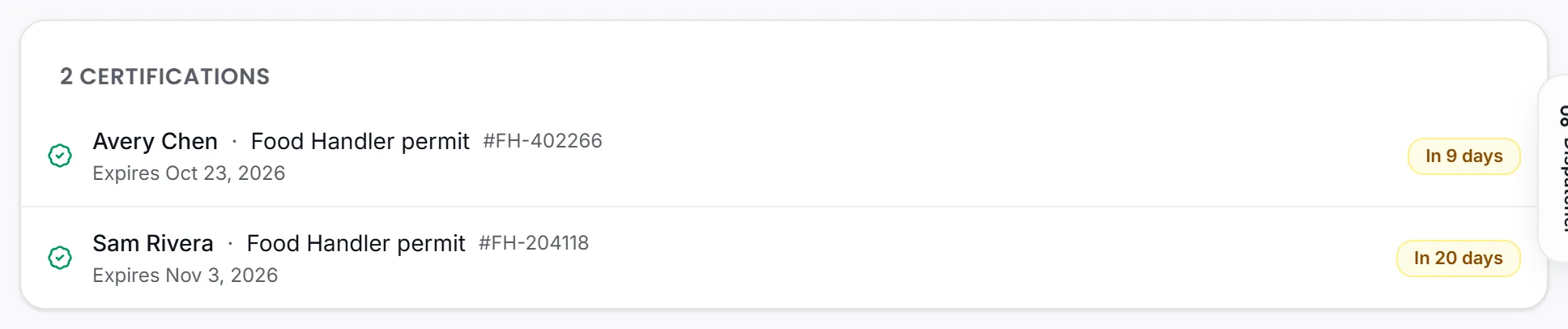
Food handler cards, ServSafe and licenses are tracked per person, and you get a Telegram nudge 30, 14 and 7 days before one expires, so a renewal is never a surprise. Permit and inspection alerts do the same for each truck.
- Expiry reminders to you at 30, 14 and 7 days
- Certifications on each crew profile
- Permit and inspection alerts per truck on every plan
Questions about crew scheduling
Do my crew need to install anything?
No. Telegram is already on most phones, and the rest works through links sent in the chat. They open a chat with your bot, ask in plain language, and answer availability or time off from a page that needs no password.
Can crew see prices or sales?
No. Staff messages never carry prices, revenue or costs. A crew briefing has the events, addresses, trucks and times. Managers with the right permission see more in the portal; owners see everything.
What if someone is not on Telegram?
Shift reminders fall back to a text message for crew without Telegram once a texting number is connected, and time off and event reports work through links. They miss the chat, not the schedule.
Which plan includes crew scheduling?
Schedule drafts, time off, timecards and certifications are on Professional and Premium. Starter covers one truck and up to three staff with the assistant and briefings, which is enough for a crew you can schedule by hand.
Every event booked, staffed, and ready
Tell us about your trucks and we will set you up properly.
Takes a minute. No credit card.